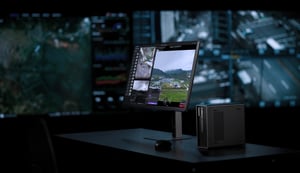

What's new in DJI FlightHub 2
The latest version of DJI FlightHub 2 covers a lot of ground. Key additions include DJI FlightHub 2 Copilot, a native AI agent that lets operators control drone missions through natural conversation, alongside a unified Resource Library, 500-megapixel ultra-clear panoramas, an upgraded Change Detection Pro, multimodal AI recognition for flight routes, surface area measurement, and a redesigned third-party integration framework with Sync 2.0.
These updates reduce operational complexity, lower the learning curve for new operators, and expand the platform's capabilities across inspection, public safety, construction, and beyond.
AI capability upgrade: Introducing DJI FlightHub 2 Copilot
Fly with a conversation
Until now, launching a drone mission required operators to learn a range of commands, menus, and configuration steps. The latest update changes that.
DJI FlightHub 2 now includes Copilot, a native AI agent embedded directly in the platform. Copilot integrates with DJI's hardware and software ecosystem, allowing operators to issue instructions through text or voice in plain language.
Instead of navigating multiple screens to initiate a flight, an operator can simply say or type what they need. Copilot interprets the request, reads the current drone status and annotated waypoints in the project, breaks the task into steps, and executes accordingly.
New operators will spend far less time learning the platform, and experienced teams can dispatch missions faster than before.
Current capabilities of DJI FlightHub 2 Copilot include:
- Launch and control drone missions via text or voice input
- Read and interpret annotated waypoint data within a project
- Understand drone status and translate user intent into actions
- Auto-decompose complex tasks into executable steps
Copilot's capabilities will continue to expand with future updates. For the current feature scope, refer to the user manual.
How AI Copilot works
Practical examples across industries:
|
Industry |
Example Copilot command |
|---|---|
|
Public safety |
"Fly to waypoint 3 and hover for visual inspection." |
|
Construction |
"Start the scheduled survey route for Site B." |
|
Energy inspection |
"Return to dock and generate a flight summary." |
|
Search and rescue |
"Circle the annotated search zone at 50 meters." |
Multimodal AI for flight routes
AI recognition that goes beyond preset categories
DJI FlightHub 2 now supports Vision-Language Models (VLM) integration directly within flight route planning, not just in the cockpit view.
Previously, AI recognition during automated flights was limited to predefined categories such as people, vehicles, and vessels, or third-party onboard algorithms. By incorporating vision-language models (VLMs), the platform can now recognize a much wider range of objects and scenarios that fall outside fixed categories, without needing to train or configure separate algorithms for every use case.
Additional route-level AI enhancements include:
- Support for delay statistics and alert reports generated along fixed patrol routes
- Expanded VLM applicability for general object recognition in security and inspection scenarios
- Broader third-party onboard AI algorithm compatibility
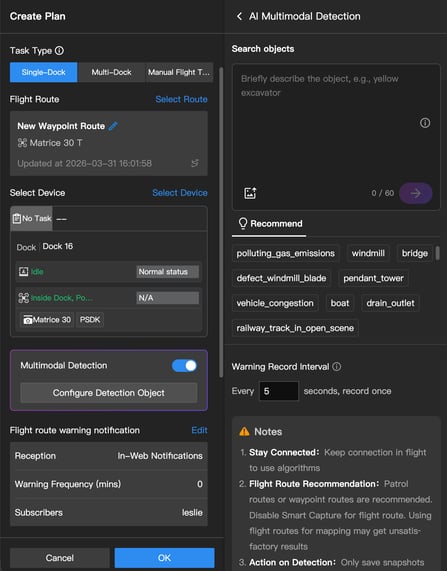
Multimodal AI recognition on patrol routes
Data analysis: More clarity, less manual effort
Resource library
The media library, model library, and design files have been consolidated into a single unified Resource Library. Everything is now managed in one place, making it faster to find, organize, and access data across projects.
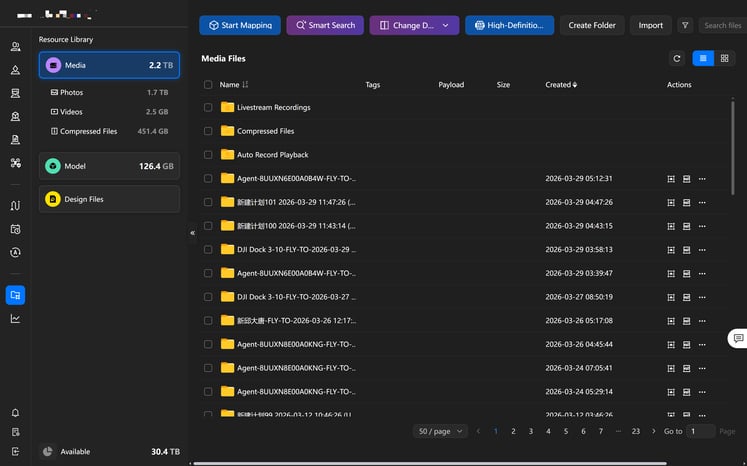
The unified Resource Library
Ultra-clear panoramas: Up to 500 megapixels
DJI FlightHub 2 introduces a new ultra-clear panorama feature that captures high-precision partial images using the drone's telephoto lens, then stitches them together in the cloud.
Panoramic image resolution increases from 100 megapixels to 500 megapixels, a five-fold improvement. Operators can identify and analyze subjects at distances and scales that were previously impractical. Compared to 2D or 3D modeling workflows, ultra-clear panoramas are faster to produce and more cost-effective, making them well-suited for wide-area inspection, large infrastructure projects, and high-resolution site documentation.
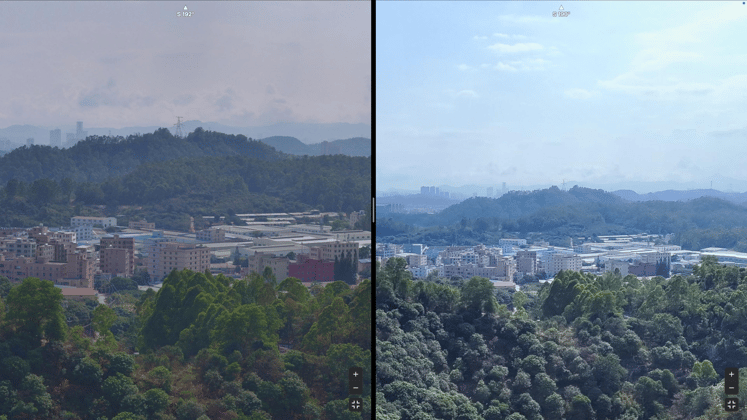
Ultra-clear panorama vs. standard panoramas
Change Detection Pro
The Analyzer's change detection capability has been significantly upgraded. The new Change Detection Pro uses a VLM visual model to overcome previous angle limitations, enabling non-nadir photos taken from the same waypoint to be analyzed for changes.
The Analyzer timeline gains a new split-screen view, letting users pull up any two inspection periods from the same waypoint route side by side. Change Detection Pro adds area selection, so teams can pinpoint exactly where changes have occurred rather than reviewing full datasets.
Combined with the existing side-by-side comparison view, where photos and panoramas from the same angle are displayed in sync with the camera angle locked, the Analyzer is now a much more capable tool for construction progress monitoring, infrastructure inspection, and any workflow that depends on tracking change over time.
.jpg?width=747&height=420&name=image%20(1).jpg)
Side-by-side comparison
Surface area measurement
A new surface area measurement tool lets users calculate the surface area of any model directly within DJI FlightHub 2.
Useful for:
- Estimating material coverage for tarpaulin applications on earthworks and landfills
- Calculating turf or landscaping costs for irregular terrain
- Assessing surface dimensions on curved or non-standard architectural structures
No need to export data to external tools. Teams can move from data collection to cost estimation in fewer steps.
.png?width=747&height=467&name=image%20(2).png)
Design file elevation coordinate system
The Analyzer now supports loading design files with a configurable elevation coordinate system. Users can select a reference point in the design file and assign a map height, and the system will automatically calculate and apply the elevation offset.
This speeds up the comparison of as-built survey data against design drawings, a common requirement in civil engineering, infrastructure monitoring, and earthworks projects.
Supported use cases:
- Overlaying design files on live map data
- Extracting target elevations using cross-section and historical elevation tools
- Configuring vertical coordinate systems (including EPSG codes, TIFF elevation offset files, and fixed elevation values)
System integration: Sync 2.0 and airspace safety
Sync 2.0: Simpler, more flexible third-party integration
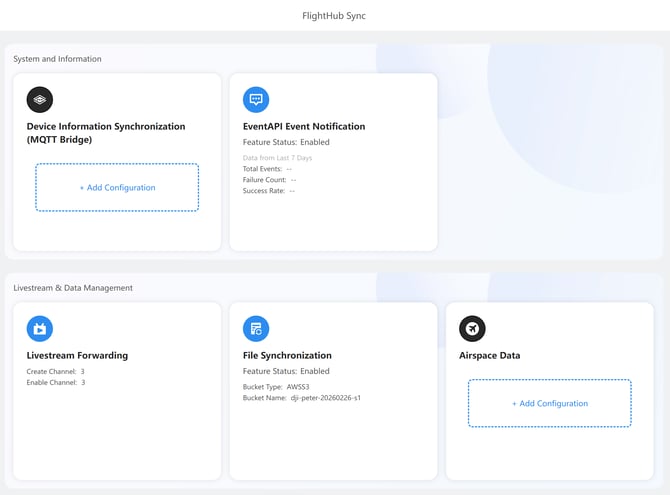
The former cloud interconnect (Beta) has been retired and replaced with DJI FlightHub Sync 2.0, a significantly upgraded integration framework that makes it easier to connect DJI FlightHub 2 with third-party enterprise systems.
Key improvements in Sync 2.0:
- Project-level file sync: File synchronization can now be configured per project, routing outputs to different storage buckets as needed
- Custom flight zone sync: Operators can sync custom flight zones and manage annotations via OpenAPI (create, read, update, delete)
- Telemetry forwarding: Real-time drone telemetry data can now be forwarded to external systems via MQTT (public cloud)
- Live stream forwarding: RTSP output is now supported, expanding options for integrating live drone video into third-party platforms and command centers
DJI FlightHub 2 is now easier to plug into existing enterprise IT infrastructure, including command centers, data platforms, and operational management systems.
Airspace safety: Building a complete picture
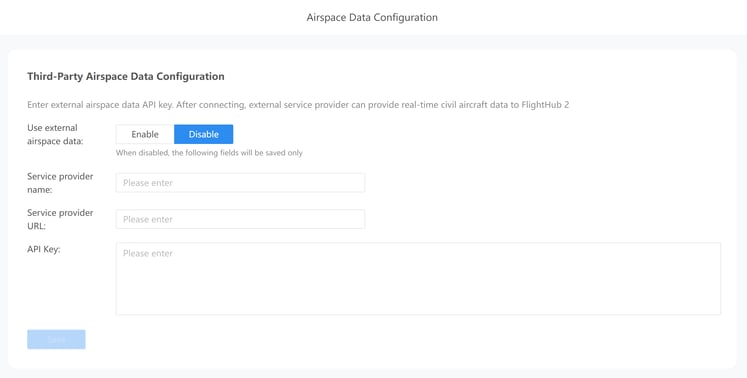
DJI FlightHub Sync now supports integration with external airspace management data. Working alongside ADS-B and Remote ID, this creates a more complete airspace picture by pulling in information about aircraft that neither system can detect on its own.
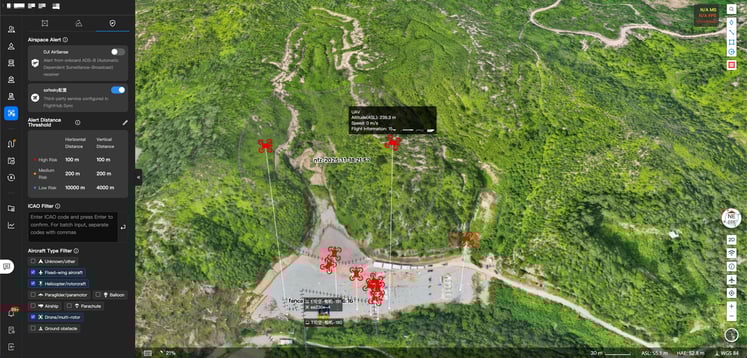
For operations in Europe, Safesky can be integrated with DJI FlightHub Sync via API, bringing in real-time data on non-ADS-B drones and light aircraft in the vicinity.
Operators no longer need to manually cross-reference external airspace tools before a flight. The integration handles this automatically, reducing workload and supporting compliance wherever local airspace regulations require it.
Maintenance made easy: One-tap service requests
If a device develops an issue, operators can now submit a service request directly from within DJI FlightHub 2 with a single tap. The system automatically pulls in the relevant device information, so there's no need to manually fill out forms, schedule appointments, or coordinate with after-sales support separately. It's a one-stop maintenance experience that keeps operations moving with minimal downtime.
Get started
The features described above are available in the latest version of DJI FlightHub 2 (public cloud).
Release notes: https://fh.dji.com/user-manual/en/release-notes
Always comply with local drone laws and regulations when operating. Contact an authorized DJI dealer or DJI After-Sales Support if you experience any issues with your equipment or software.