
For drone programs operating at scale, reliable communication is essential. Signal loss in the field doesn't just disrupt a mission; it halts the entire workflow. Whether it's a drone dock at a remote facility, a flight corridor through a dense urban environment, or an inspection route across rugged terrain, the ground infrastructure must be dependable.
The DJI O4 Ground Station is specifically designed to meet these demands. It addresses the signal limitations that often restrict wide-area drone operations by integrating a high-performance RF unit, a 12-antenna omnidirectional array, and automatic multi-band selection into a maintenance-free, all-weather package. This system not only extends the operational range but also redefines the possibilities for unattended, continuous operations.
When used alongside the DJI Dock 3, the O4 Ground Station offers two operating modes: Gateway Mode, which connects directly to FlightHub 2 via Ethernet or cellular for real-time video and remote control, and Relay Mode, which enables offline communication in valleys, obstructed areas, and locations beyond network coverage. When paired with the DJI Matrice 400, the system supports a transmission range of up to 40 km, with a standby power consumption of just 7 watts, and is resilient enough to run continuously without requiring on-site maintenance.
Advanced Hardware, Robust Transmission
High-Performance RF Unit
Reliable communication in dense environments starts at the hardware level. The O4 Ground Station's RF unit delivers high-power RF output, significantly boosting penetration and coverage through urban obstructions such as buildings and infrastructure, as well as interference-heavy corridors.
An optimized signal-to-noise ratio (SNR) enhances receiver sensitivity, allowing the station to recover usable signals even in complex electromagnetic environments where lesser systems drop out entirely.
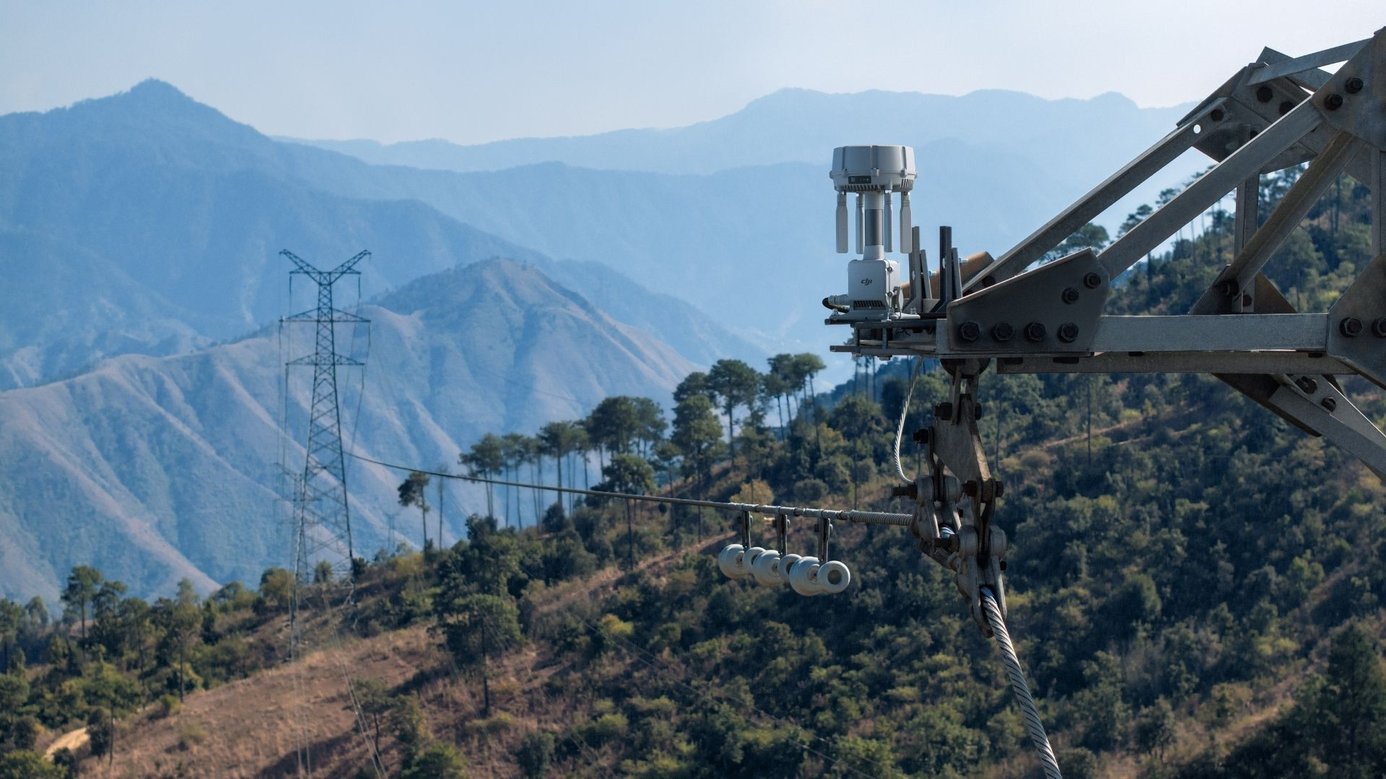
Omnidirectional High-Gain Antenna Array
Using 12 internal and external antennas with both horizontal and vertical polarizations, the O4 Ground Station delivers omnidirectional, high-gain coverage. Regardless of the aircraft's position relative to the station, it continuously and stably captures the communication signal, maintaining a seamless link throughout wide-area operations.
Automatic Multi-Band Selection
Urban RF environments are inherently contested. The O4 Ground Station automatically shifts across sub-2G, 2.4 GHz, 5.2 GHz, 5.8 GHz, and additional bands to navigate congestion and bypass interference, without operator intervention.[1]
The result is a crisp, stutter-free video feed that holds even under challenging spectrum conditions. When paired with DJI Matrice 400, the system achieves a transmission range of up to 40 km.[5]
5-System, 19-Frequency GNSS
An integrated high-gain RTK module tracks 19 frequencies across five global satellite systems. Even in semi-obstructed environments, urban canyons, dense canopies, and complex terrain, it rapidly acquires satellite signals and delivers continuous, centimeter-level positioning data. This keeps flight operations precisely anchored throughout the mission.

Gateway Mode: Wide Coverage, Direct Network Connectivity
Direct Connection to FlightHub 2
In Gateway Mode, the O4 Ground Station connects directly to DJI FlightHub 2 via Ethernet or the DJI Cellular Dongle 2 (sold separately),[6] delivering low-latency, high-bandwidth video. This frees the station from proximity constraints, extending DJI Dock 3 coverage up to 30 km from the ground station.[7]
Gateway Mode is compatible with DJI Dock 3. It supports connection to FlightHub 2 Public Cloud, FlightHub 2 On-Premises, FlightHub 2 AIO, and third-party systems developed via Cloud API or FlightHub Sync.

Signal Map for Precise Deployment
After a flight, FlightHub 2 uses the collected flight data to generate a Signal Map that visually highlights weak coverage zones.[8] Operators can use this to position ground stations with greater precision, reinforce communication links across the entire coverage area, and make data-driven deployment decisions before the next mission.
Virtual Cockpit for Agile Control
In Gateway Mode, FlightHub 2's Virtual Cockpit enables remote manual control of the aircraft from anywhere within the ground station's coverage area.[8] Operators can override preset routes on demand, enabling fast, flexible responses to multi-point task requirements, without being physically present at the deployment site.
Relay Mode: Offline Reach Beyond the Network
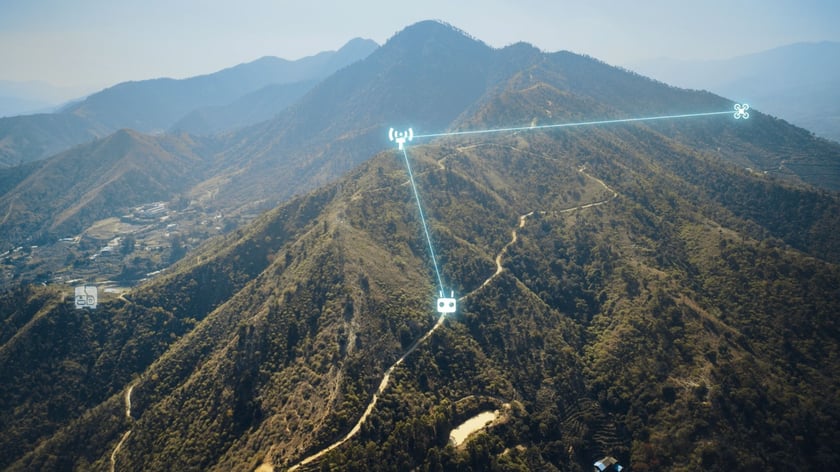
High-Point Setup to Clear Obstructions
The O4 Ground Station inherits the relay deployment capabilities of the D-RTK 3 Relay Fixed Deployment Version. In offline areas, valleys, obstructed corridors, or urban environments where network connectivity is unavailable, operators can switch to Relay Mode and position the station at an elevated point to extend aircraft video transmission range beyond what conventional infrastructure allows.[4]
Relay Mode is compatible with DJI Dock 3, Matrice 400, Matrice 4E, Matrice 4T, Matrice 4D/4TD (with DJI RC Plus 2 Enterprise), and DJI FlyCart 100.
Multi-Device Rotation for Higher Utilization
Remote controllers and DJI Docks within signal range can remotely scan and connect to the O4 Ground Station.[9][10] A single station can service multiple aircraft sequentially, enabling fast turnarounds and significantly improving overall hardware utilization across a fleet.
Durable Design, Smart Power
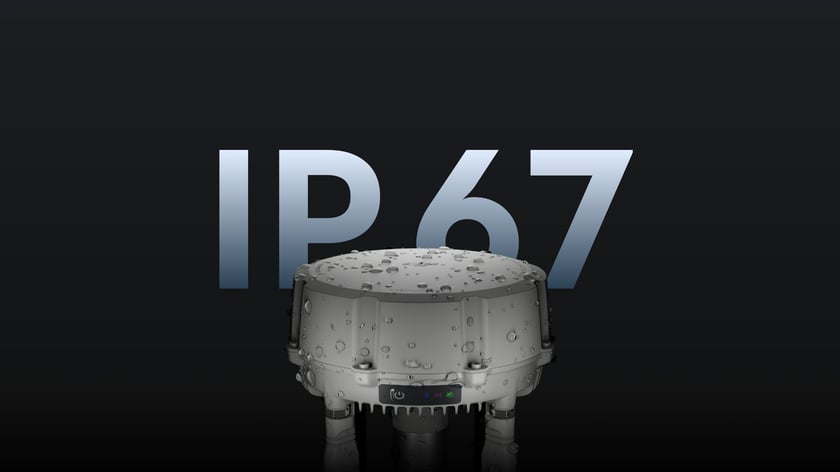
All-Weather Reliability
An IP67 rating[11] protects against water and dust ingress, while the O4 Ground Station operates reliably across a temperature range of -40° to 55° C (-40° to 131° F).[12] This robust build is designed specifically for continuous, unattended operations in harsh outdoor conditions, coastal facilities, mountain installations, or extreme-climate industrial sites.
Lightning Protection
Proprietary lightning protection components and a grounding design meet the EN/IEC 61643-21 Category C standard. This helps mitigate the risk of lightning damage when the station is deployed at elevated outdoor locations such as mountaintops or transmission towers.[13]
Maintenance-Free Design
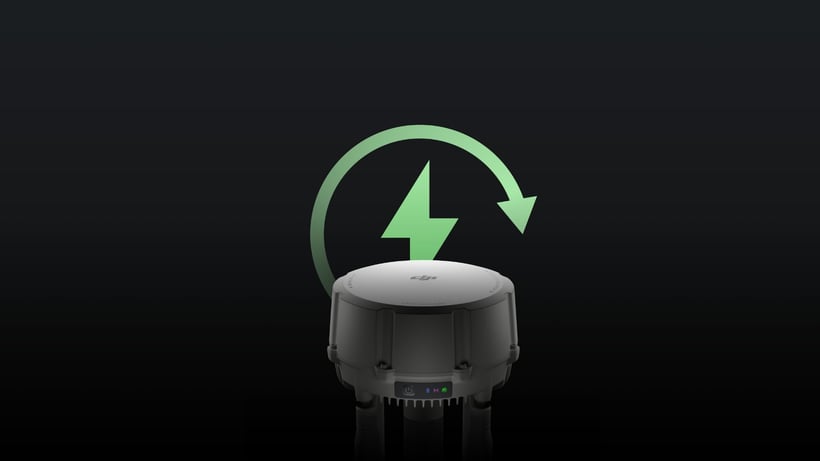
Fanless passive cooling and a self-recovery mechanism allow the O4 Ground Station to automatically resume operation after power outages or software anomalies. Without moving parts or cooling systems requiring service, on-site maintenance visits are minimized, reducing both operational costs and the need for manual reboots in the field.
Smart Low-Power Mode
In Gateway Mode, the O4 Ground Station features smart power management. When no aircraft is connected, it automatically hibernates, drawing just 7 W on standby.[8][14] For off-grid deployments, the station supports connection to DJI Power solar solutions or third-party photovoltaic systems [15], making long-term remote operations viable without a permanent power supply.
 Zenmuse L3 Point Cloud Accuracy
Open Ecosystem, Flexible Integration
Unified Visual Management
The O4 Ground Station integrates up to four standard IP cameras via ONVIF and GB/T 28181 protocols, streaming live video directly to DJI FlightHub 2. Native camera alerts, such as displacement detection, are synchronized automatically. FlightHub 2 also enables remote PTZ (Pan/Tilt/Zoom) control of connected cameras, giving operators a centralized, comprehensive view of the entire operational area.
Open ESDK for Custom Integration
The updated MQTT-based ESDK 2.0 and Cloud API streamline third-party integration, enabling developers to build custom, industry-specific solutions atop the O4 Ground Station's capabilities. Via the MQTT protocol, the station can connect to third-party Remote ID or ADS-B receivers, delivering real-time awareness of nearby unmanned and manned aircraft and proactively safeguarding the surrounding airspace.
Get Started with DJI O4 Ground Station
DJI O4 Ground Station is a fundamental step forward for organizations running wide-area, unattended drone operations. By combining a 12-antenna omnidirectional array, automatic multi-band interference avoidance, and both networked and offline operating modes into a single maintenance-free unit, it removes the communication barriers that have historically limited where and how long autonomous drone programs can run.
For DJI Dock 3 operators, Gateway Mode unlocks direct FlightHub 2 integration and remote control across coverage areas up to 30 km, without the need for on-site personnel. For operations in valleys, obstructed environments, or areas beyond network reach, Relay Mode extends the mission farther than the network can. And for off-grid installations, smart power management and solar compatibility make long-duration unattended deployment a practical reality.
Whether you're managing infrastructure inspection corridors, remote facility monitoring, or large-scale logistics operations, the O4 Ground Station is designed to keep your fleet connected, reliably, continuously, and at range.
To learn more or arrange a product demonstration, contact your local DJI Enterprise dealer.
Disclaimers
[1] Sub-2G band support and multi-band auto-switching are only available when using DJI O4 Ground Station with Matrice 400. These features are not available in certain countries or regions. Check local laws and regulations for more information.
[2] Gateway Mode is compatible with DJI Dock 3. In Gateway Mode, DJI O4 Ground Station connects via Ethernet or the DJI Cellular Dongle 2 to DJI FlightHub 2 Public Cloud, FlightHub 2 On-Premises, FlightHub 2 AIO, and third-party software systems developed via Cloud API or FlightHub Sync.
[4] Relay Mode is compatible with DJI Dock 3, Matrice 400, Matrice 4E, Matrice 4T, Matrice 4D/4TD (DJI RC Plus 2 Enterprise), and FlyCart 100. This feature is unavailable in countries or regions that do not support 5 GHz. Check local laws and regulations for more information. Please observe local laws and regulations when performing relay flights.
[5] Measured in an outdoor, open environment, without interference. The 40 km transmission range is only supported by Matrice 400 under IC compliance. For other aircraft models, the maximum transmission range is 30 km (IC). The above data shows the farthest communication range for one-way, non-return flights. Always pay attention to reminders in the app during your flight.
[6] Sold separately. 4G Enhanced Transmission is not available in some countries and regions. Please consult your local dealer for details.
[7] DJI O4 Ground Station offers a larger single-station coverage radius with Dock 3 than D-RTK 3 in Relay Station mode. Measured in an outdoor, open environment, without interference. The 30 km transmission range is only achievable under IC compliance when using Matrice 4D (with DJI Dock 3) in Gateway Mode, or Matrice 4D/4TD (with DJI RC Plus 2 Enterprise) in Relay Mode. The above data shows the farthest communication range for one-way, non-return flights. Always pay attention to reminders in the app during your flight.
[8] This feature is only available when DJI O4 Ground Station is in Gateway Mode.
[9] DJI Dock 3, the aircraft, and the remote controller must all be updated to firmware version V13.01.00.04 or later, and linked via Remote Access.
[10] This feature is only available when DJI O4 Ground Station is in Relay Mode.
[11] Please follow the requirements stated in the IP67 protection rating instructions. Measured in a controlled environment. The IP rating is not permanently effective and may decrease due to product wear and tear.
[12] When operating in environments from -40° to -20° C (-40° to -4° F), the station requires a PoE++ power supply of 60 W or above.
[13] RJ45 surge protection capacity is 1.5 kA (8/20 μs waveform), meeting the Category C protection level of EN/IEC 61643-21. Surge protection capability depends on the capacity and reliability of the grounding system. To minimize the risk of surges, please ensure proper grounding during installation.
[14] 7 W refers to the power consumption of DJI O4 Ground Station only. When powered via PoE++, the total power draw, including the power supply itself, will be higher.
[15] DJI Power solar solutions or third-party photovoltaic systems are sold separately.
Always comply with local drone laws and regulations when operating. Contact an authorized DJI dealer or DJI After-Sales Support if you experience any issues with your equipment or software.