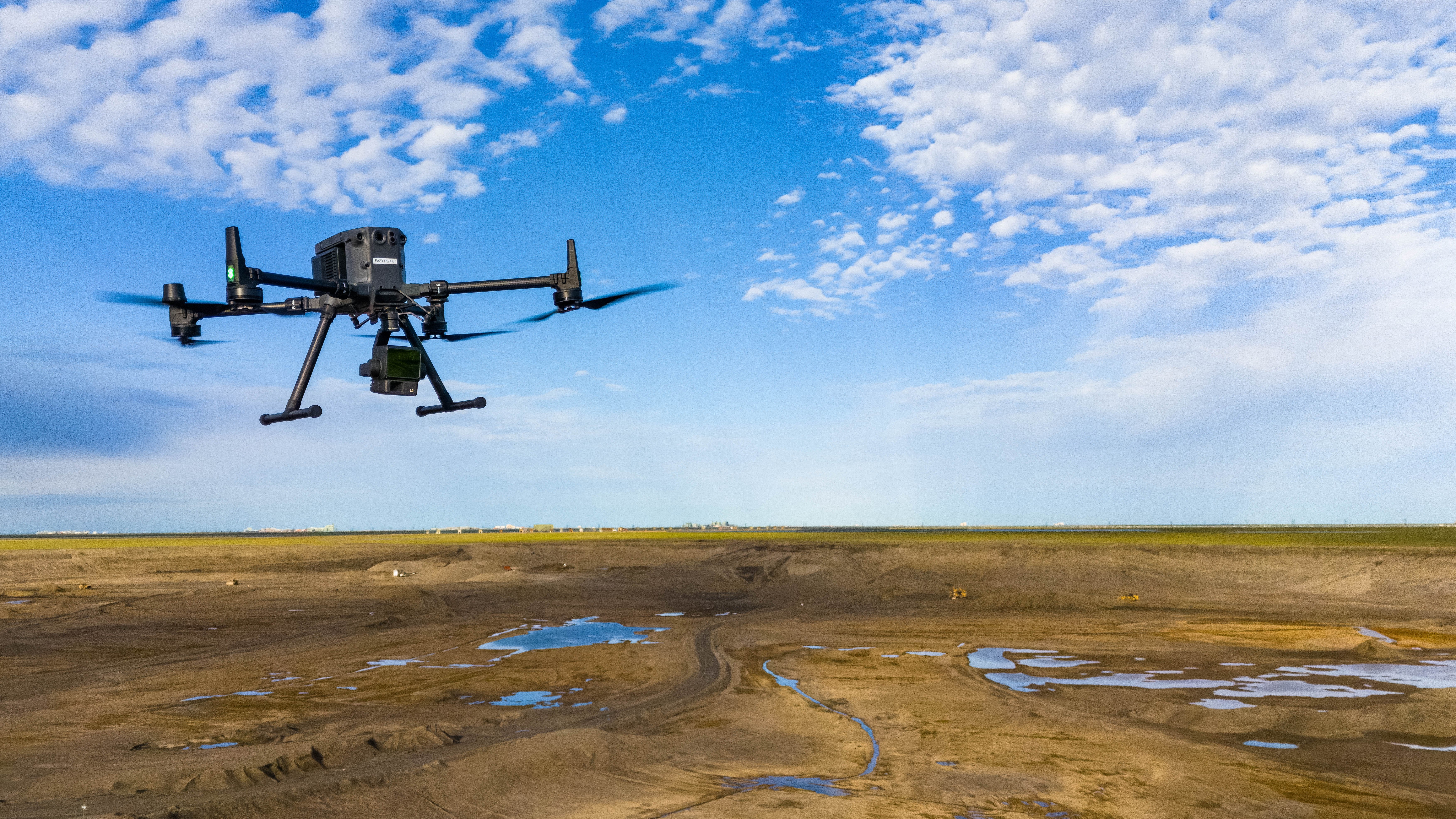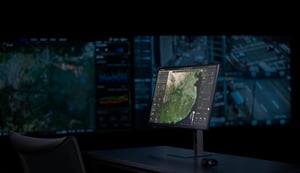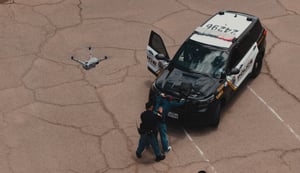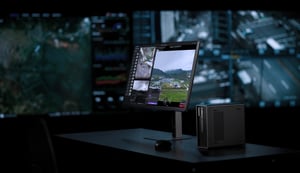

Leading oil & gas companies have continued to modernize their field inspection workflows across multiple production and midstream sites. Improving safety, reducing manual inspection time, and enabling remote monitoring of critical infrastructure using the DJI Dock 3 paired with the Matrice 4D Series.
From pipeline corridors to active production facilities, customer deployments have revealed best practices for how drone-in-a-box automation can transform operations in one of the world's most demanding industries.
Why Automation Matters for Oil & Gas Operations
Traditionally, inspections in oil & gas fields require crews to drive long distances, often in harsh weather and over difficult terrain, to visually check equipment and transfer lines. These manual patrols are time consuming, carry safety risks, and offer limited situational awareness.
The DJI Dock solution introduced a new way of working involving automation, and repeatable drone missions that capture thermal and visual data around the clock. By deploying multiple Docks across production networks, miles driven have been reduced, inspection consistency improved, and anomalies have been detected before they became costly incidents.
Setting Up the System
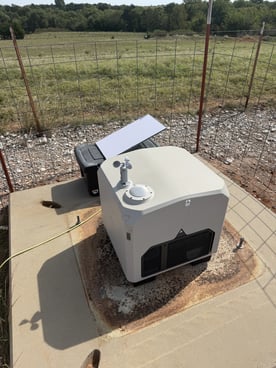
Commonly the Dock 3 is installed on a reinforced concrete pad with a dedicated 120 V AC (10 A) power source and satellite internet for connectivity. This setup allowed remote operation in isolated locations where traditional network access is unavailable. It is recommended to elevate the dock to minimize dust.
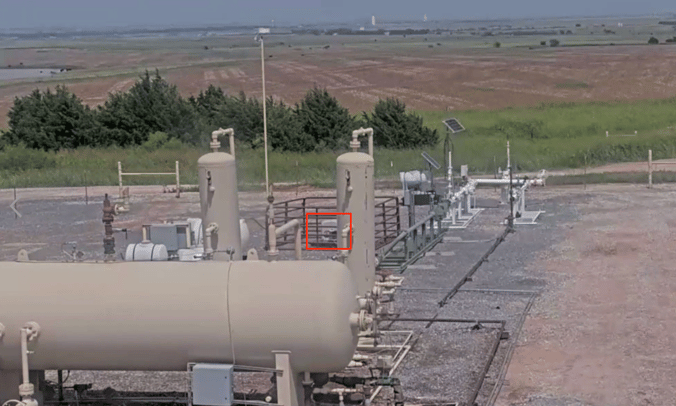
Key installation items and best practices to consider:
- Site Selection and Placement: Choose sites with clear flight paths to nearby pipelines and production pads. Position Docks centrally and closer to inspection targets to reduce transit time, maximize coverage per flight, and ensure efficient operations.
- Performing RF and site surveys to optimize Dock and D-RTK 3 relay station placement.
- Data Storage and Security: Use on-premise servers or DJI's FlightHub 2 AIO (All In One) deployment if cloud storage isn't possible due to security requirements. For oil & gas networks that often restrict cloud uploads, implement hybrid workflows with local storage and selective sync to maintain compliance while enabling seamless data processing.
- Integrating FlightHub 2 and ESRI GIS overlays to align inspection routes with buried infrastructure.
- Maintenance for Harsh Environments: Plan for regular cleaning of air inlets and seal checks to keep the Dock performing reliably in dusty, high-temperature conditions. Establish calibration protocols to account for environmental factors like reflected heat or wet ground, improving data consistency from the start.
These steps ensure that each Dock can operate automatically while meeting strict cybersecurity and maintenance standards.
Route Planning in FlightHub 2: Building Reliable, Repeatable Missions
Mission planning in FlightHub 2 is critical to achieving consistent, high-quality inspections across complex oil & gas sites. Unlike simple point-to-point flights, infrastructure inspections often follow irregular pipeline paths, facility clusters, and long linear assets, all of which require precise planning to ensure complete coverage.
Step 1: Importing GIS Layers into Flighthub 2
Oil and Gas companies will import GIS data into Flighthub 2. This is useful for situational awareness and planning missions. The type of data that is important can include pipelines for crude oil (often shown in green), CO2 pipelines or reclaimed water/slurry lines (commonly in purple), wells, processing facilities, storage tanks, transport networks, power lines, access roads, and section boundaries to ensure safe and efficient operations in the field. This data is typically already available and easy to import from a GIS database to Flighthub 2 as a KML or KMZ.
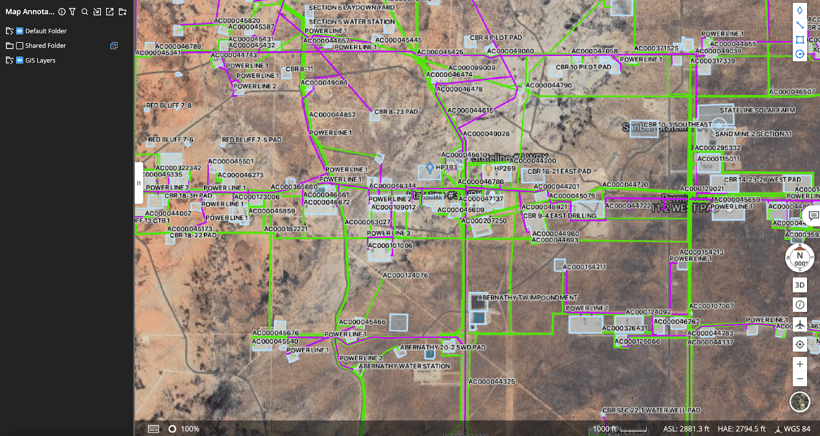
Step 2: Create a Linear or Area Mission Aligned to the Asset
Once the GIS layers are loaded, operators draw the flight path directly on the map by tracing the pipeline, water transfer line, or facility perimeter. For linear assets such as buried produced-water lines or temporary above-ground hoses teams create a Linear Mission by clicking along the line’s centerline to generate a clean, continuous route. This ensures the drone follows the exact path of the infrastructure, enabling consistent, repeatable data capture for leak detection, vegetation loss, erosion, and thermal anomalies.
For facilities, drilling rigs, or pads, operators switch to an Area Mission. They outline the perimeter or key structures, allowing FlightHub 2 to automatically generate a systematic capture pattern for modeling. Panoramas, or general condition checks through waypoint missions can also be done.
Step 3: Mission Settings
With the route drawn, operators set capture parameters tailored to the inspection type. For leak detection along above-ground lines, thermal imaging is prioritized to highlight temperature differentials. Buried lines rely more heavily on RGB to assess vegetation loss patterns. Facilities often use a combination of thermal, RGB, and high-zoom inspections to validate gauges, thief hatches, separators, storage tanks, wildlife interference, and more.
Operators also configure altitude, gimbal angle, photo intervals, overlap settings (if creating models), and return-to-home behavior. These settings remain tied to the mission template, ensuring every run captures consistent, analysis-ready data.
Step 4: Convert the Plan Into a Repeatable Mission in Task Plan Library
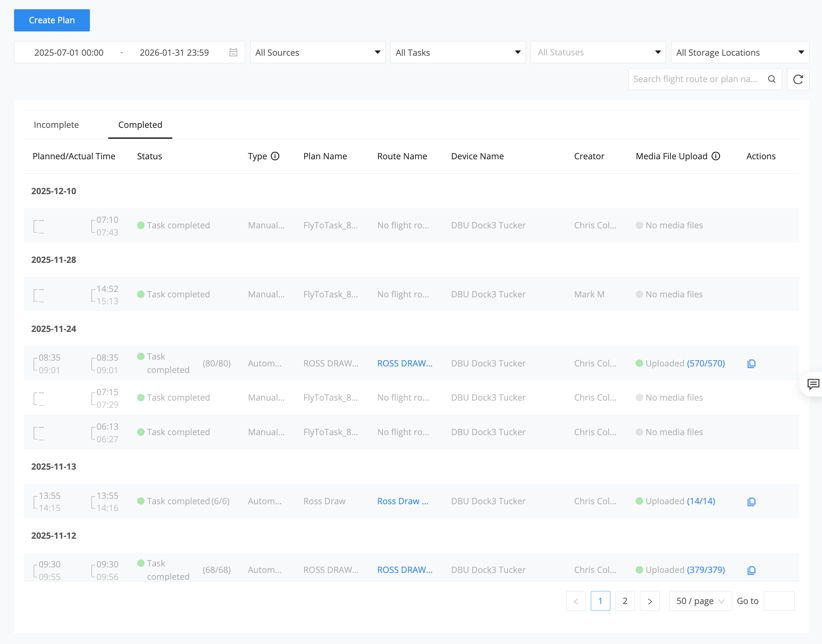
Once refined, the mission is saved as a reusable template. This is especially important in oil & gas operations where inspections occur daily, weekly, or even every two hours for regulated pipelines. Instead of rebuilding missions from scratch, operators simply select the flight route and either schedule it or execute it through the Dock with a single command in the Task Plan Library.
How It Works: From Alarm to Action
Dock systems are programmed to conduct scheduled and alarm-based inspections. Routine inspections are common in scenarios requiring consistent monitoring for compliance and preventive maintenance, such as daily or weekly checks on production facilities, storage tanks, and flare stacks to detect issues like gas emissions or equipment degradation. For regulated pipelines, inspections may occur every two hours to monitor for erosion, vegetation loss, leaks, or surface disturbances—far exceeding what manual crews can achieve.
- Setup Phase – The field team places the Dock, ensures connectivity, and loads preplanned missions in FlightHub 2.
- Automated Flight – When triggered by a routine schedule or alarm, the drone launches, captures visual and thermal imagery, and automatically returns for charging. For alarms, the system can be configured (often via third-party integrations or API) to automatically trigger a specific pre-defined mission from the Task Plan Library (no manual selection required during the event), though operators can also initiate flights on-demand with a single command if needed. Examples of alarm-based triggers include environmental warnings monitored by the Dock (e.g., high winds or rain), AI-detected anomalies from prior flights (e.g., potential leaks or structural issues), or external notifications integrated via custom setups, like sensors flagging wildlife interference or unauthorized vehicles in restricted areas. Note that advanced external sensor alerts, such as sudden pressure drops in pipelines, may require additional integrations beyond native FlightHub 2 features.
- Data Offload and Processing – FlightHub 2 stores imagery, which in many cases is processed through a company's internal AI powered detection platform. Operators can query the system for conditions such as “leak” or “moisture?”. Any keywords can be plugged into the AI machine learning platform.
- Decision and Dispatch – If an anomaly is confirmed, personnel are sent directly to the issue, eliminating unnecessary trips and minimizing downtime.
This workflow turned what once took hours of manual driving into a 15 minute automated inspection.
Enhancing Inspections with AI Integrations
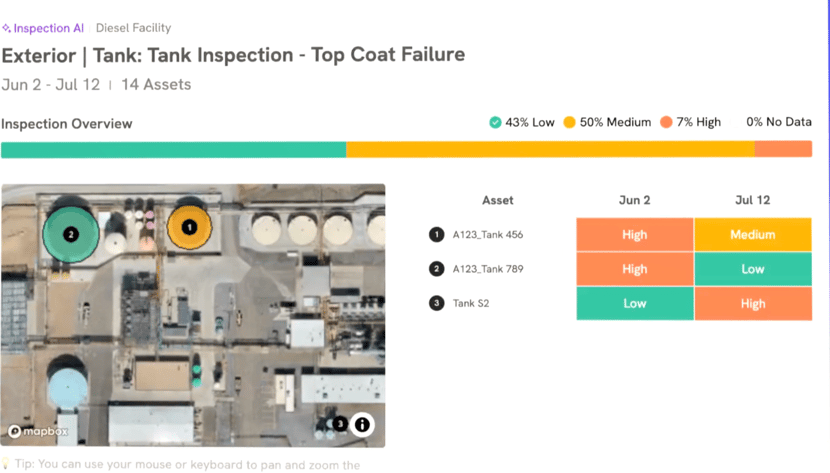
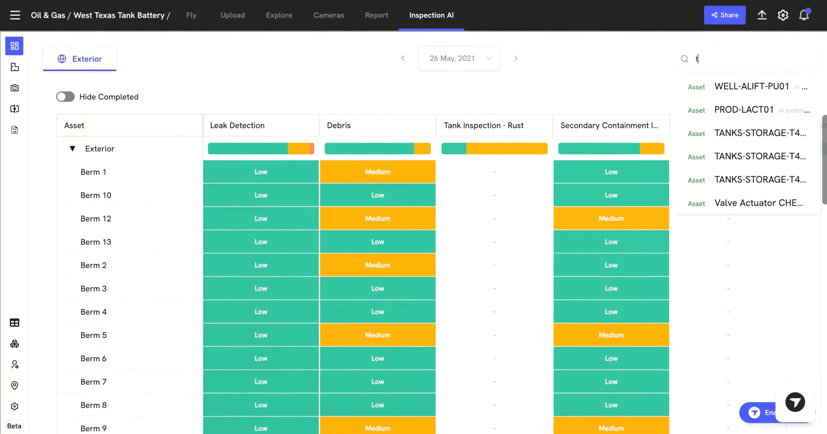
In addition to internal AI processing, oil & gas operators are increasingly testing integrations of DJI Dock data with third-party AI platforms to enable advanced analysis and predictive maintenance. Common experiments include uploading drone-captured imagery to AI tools that detect anomalies in real-time and compare against historical data to forecast issues, shifting from reactive to proactive operations.
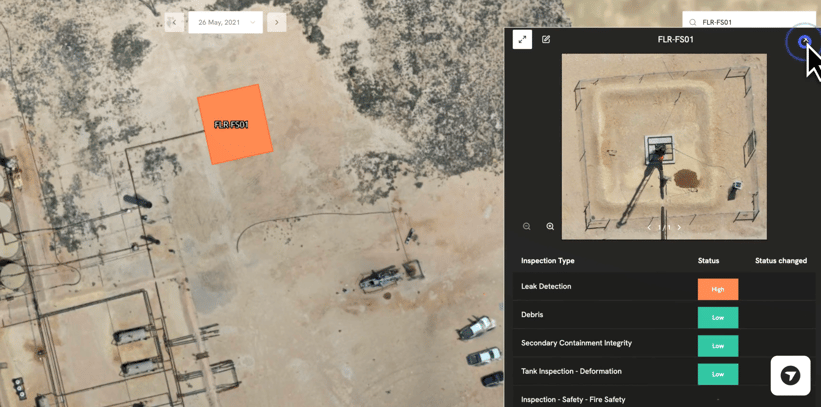
These integrations typically focus on creating digital representations (often called "visual twins") of assets by overlaying visual and thermal data onto geolocated 3D models. This allows autonomous detection of degradation like corrosion, leaks, or structural weaknesses, with issues prioritized by severity for efficient response. Companies are testing this for assets such as pipelines, storage tanks, and facilities to reduce downtime and prevent failures.
Observed Benefits and Considerations
Operators report that such integrations cut labor hours by automating data review, improve detection accuracy, and facilitate early interventions in high-risk environments. To implement this, start by using FlightHub 2's OpenAPI for custom connections to third-party AI tools, testing small-scale patrols on a single asset before scaling. Consider hybrid on-premises deployments if cloud security is a concern, ensuring alignment with your scalability needs.
How the Integration Works
- Data Capture: The Dock launches automated flights to map sites, collecting RGB and thermal imagery.
- Upload and Analysis: Imagery is offloaded and imported into the AI platform, where agentic AI processes it without constant human oversight. The system reasons across vast datasets to identify anomalies and trends.
- Actionable Insights: Findings are exported directly to asset management systems, triggering work orders and enabling rapid response. This shifts operations from reactive to proactive, reducing downtime and enhancing safety.
 Observed Benefits and Considerations
Operators report that such integrations cut labor hours by automating data review, improve detection accuracy, and facilitate early interventions in high-risk environments.
This approach complements FlightHub 2's capabilities, allowing teams to choose hybrid solutions that align with their security and scalability needs.
Applications Across the Energy Field
Pipeline Monitoring
Buried and above ground pipelines are monitored for erosion, vegetation loss, and leaks. The Dock enables regular autonomous flights every two hours, far beyond what human crews could achieve, ensuring compliance and early leak detection.
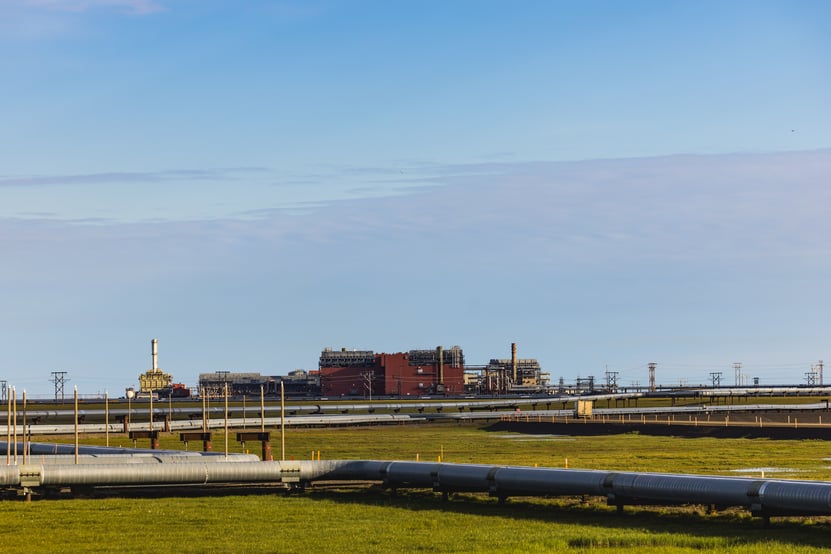
Above ground water pipeline
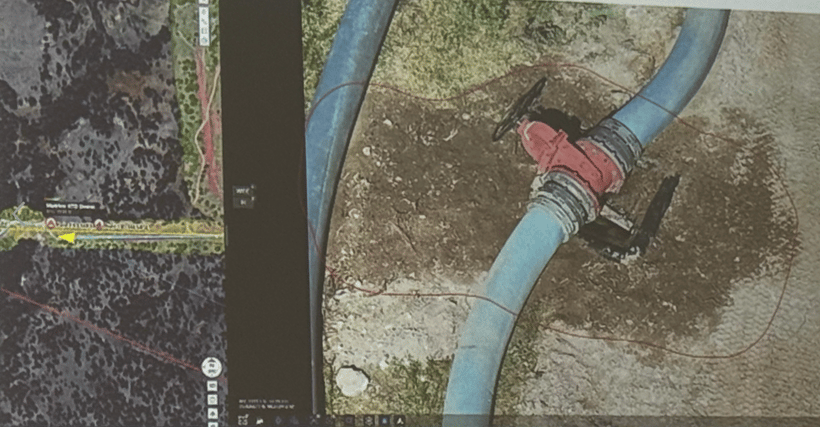
Water leak near the nozzle—visible pooling and saturated soil around the fitting
Facility and Flare Stack Inspections
Drones perform visual and thermal scans of production facilities, storage tanks, and flare stacks to detect issues like gas emissions, missing thief hatches, or extinguished flames without exposing workers to heat or hazardous gases.
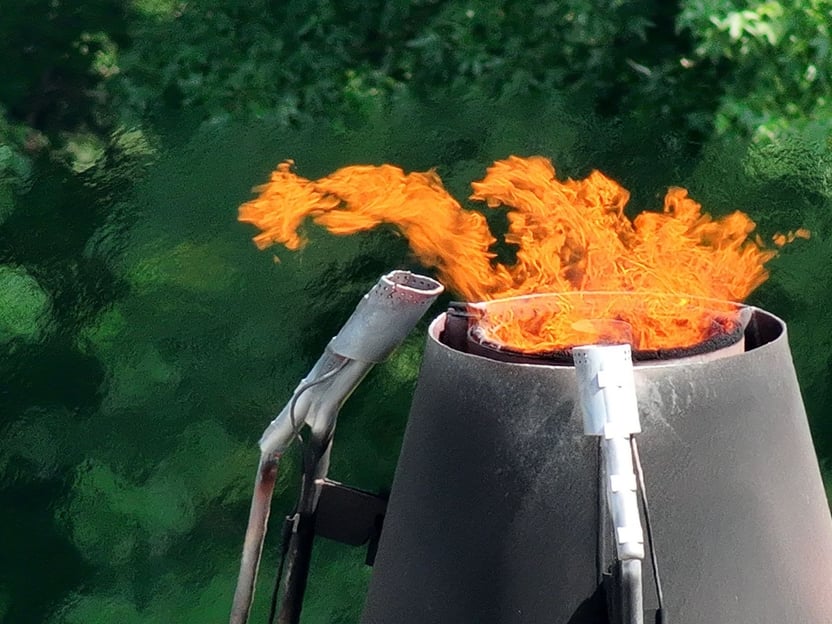
Flare stack inspection
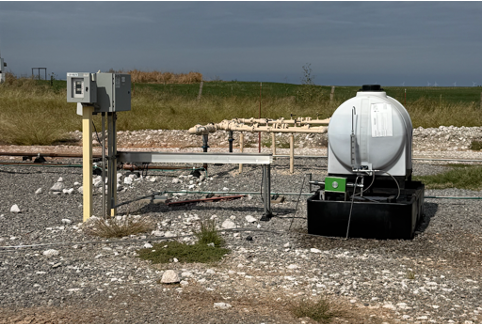
Inspection of a chemical injection skid used in oil and gas operations to precisely dose chemicals like corrosion inhibitors into pipelines or wellheads for maintenance and flow assurance.
Perimeter and Environmental Checks
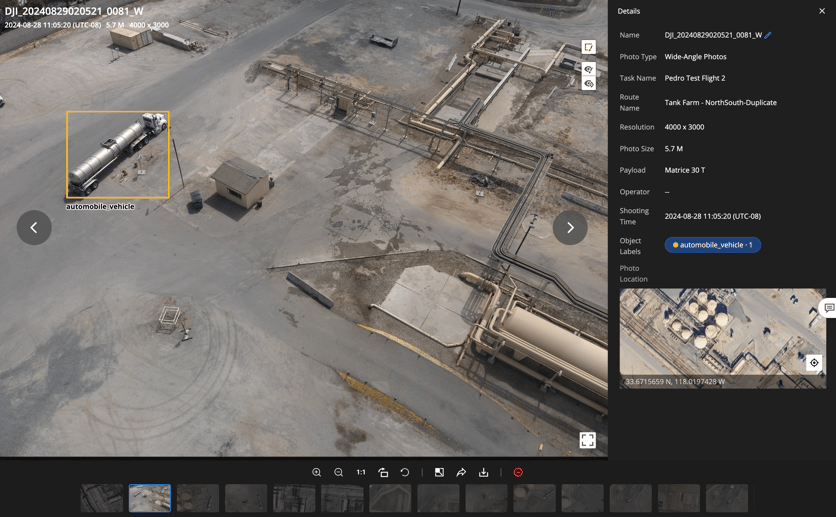
The system can identify unauthorized vehicles or wildlife within restricted areas, or flag surface disturbances caused by leaks or equipment failures, helping teams prevent environmental damage.
Benefits & Looking Ahead
Potential Benefits
- Safety: Reduced worker exposure to hazardous sites and road travel through autonomous inspections.
- Efficiency: Autonomous workflows replace repetitive manual routes, enabling significant labor savings and faster response times.
- Data Quality: Consistent thermal and visual imagery enhances AI detection accuracy and supports advanced trend analysis.
- Scalability: Systems allow for easy expansion across production areas, supporting growth from initial deployments to broader networks.
Automation, data integration, and reliability combine to make the DJI Dock a practical solution for large-scale industrial monitoring. By replacing manual patrols with automated, data-driven inspections, oil and gas operations can improve safety and efficiency, setting a new standard for how the energy industry can use drones to achieve operational excellence.
Looking Ahead
Oil and gas companies are increasingly leveraging Beyond Visual Line of Sight (BVLOS) waivers to transition from traditional on-site piloting into true remote operations. With approved waivers in place, operators can monitor infrastructure, launch missions, and respond to events without needing physical presence. This unlocks major gains in efficiency, safety, and cost reduction. Organizations can streamline their applications and accelerate approval by using standardized BVLOS waiver templates, such as those provided by DJI (linked here). As of 2025, waivers for shielded operations (low-altitude flights that minimize risks from manned aircraft) commonly allow up to 200-250 feet, where visual observers are not required. Additionally, the FAA's proposed Part 108 rule, introduced in August 2025, aims to normalize BVLOS by shifting from case-by-case waivers to a standardized approval process, potentially enabling more scalable operations in low-risk areas.
Teams are also expanding toward multi-Dock management, allowing one operator to oversee several systems simultaneously. Future goals include integrating Dock data directly into an organization’s digital twin and asset management software, enabling predictive maintenance and near-real-time operational visibility across the energy network.
Automation, data integration, and reliability combine to make the DJI Dock a practical solution for large-scale industrial monitoring. By replacing manual patrols with automated, data-driven inspections, oil and gas operations can improve safety and efficiency, setting a new standard for how the energy industry can use drones to achieve operational excellence.